Online Graph Paper Generator
Draw online graph paper directly in your browser, then export the exact sheet you drew. Sketch on the grid, set the line spacing, add axes and numbers, and download the result as a print-ready PDF, PNG, or SVG. There is nothing to install, and no login or watermark.
Use this graph paper maker to sketch on the grid above, then export the result.
Graph Paper with Axes, Numbers, and Four Quadrants
Blank grids are everywhere. What most graph paper tools skip is the coordinate layer — axes, numbered lines, and four quadrants. These three modes of online graph paper turn a plain grid into something you can plot on, with the origin and the numbers already marked.
| Mode | What it solves | Who searches |
|---|---|---|
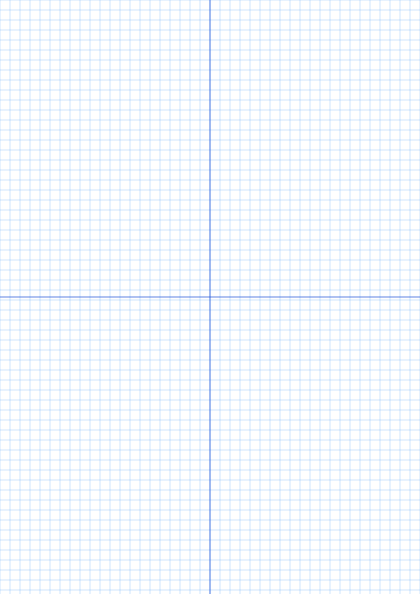 Graph paper with axes — two labeled lines cross the grid, so you can read the x and y value of any point. | Plot a function or equation and see exactly where it crosses each axis, instead of estimating the position from an unlabeled grid. | Students graphing lines and curves, and math teachers who build worksheets. |
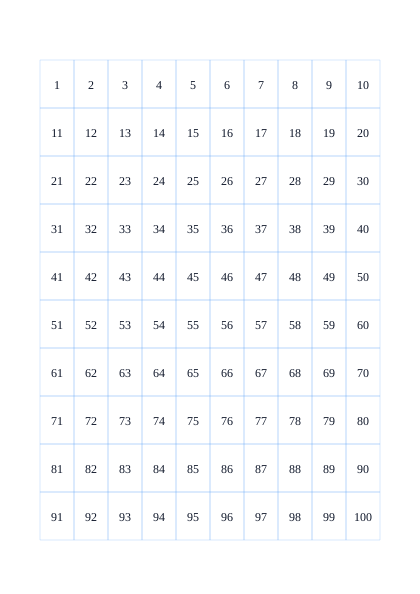 Numbered graph paper — every grid line carries its number along the edge of the sheet. | Mark a point at an exact coordinate pair and check the answer against the numbers already printed on the grid. | Students learning to plot coordinates, and parents checking the homework. |
| Four quadrant graph paper — the origin sits in the middle of the sheet, so negative and positive values share one grid. | Plot points and shapes that cross into negative x or y values, which a single-quadrant grid cannot show at all. | Middle and high school students in algebra and pre-algebra, and their teachers. |
These three modes of online graph paper share one graph paper tool, so the paper size, spacing, and export format stay the same whether you need axes, numbers, or all four quadrants. Pick a mode, set the size and spacing, then download the finished sheet as a PDF, PNG, or SVG.
Will the Grid Print at the Exact Size?
Online graph paper only prints at its true size if the print dialog is set to do it.
In the print dialog, set the scale to Actual size or 100%. If the dialog shows a page-scaling option, set it to None, and turn off Fit to page or Shrink to fit. These two choices decide whether the grid prints at the size you set or at a size the printer picked.
With Actual size selected, a 5 mm square prints at 5 mm on paper. Line to line, the printed spacing matches a ruler, so the sheet keeps the size you chose.
With Fit to page selected, the same square comes out smaller. A 5 mm grid drops to about 4.6 mm, because the browser squeezes the whole sheet to clear the printer margins. Every square shrinks by the same ratio, so the grid still looks even, but it no longer matches the number you set.
Before you print a batch, print one test page and measure a single square with a ruler.
How to Use the Online Graph Paper
Three steps carry a blank grid to a sheet of online graph paper.
- Choose a paper size from the list. The grid redraws at the size you picked, so what you see is what will print.
- Set the spacing between grid lines, then switch the axis and numbers on or off. Each change appears in the preview right away.
- Export the finished sheet as a PDF, PNG, or SVG, then print it or save it to your device.
Paper Types
Every type of online graph paper lives here in four groups — math, music, drawing, and writing — so you can jump to the grid your task needs instead of scrolling one long list. Each card opens in the same graph paper tool, ready to draw on.
Math

Drawing


Writing & Technical





Every entry opens in the same graph paper tool, where you can change the size, spacing, and color before you download.
Match the Grid to the Task
Start from the task in front of you, and the right online graph paper is already here.
Plot a function
Square or coordinate-plane paper gives you labeled axes, so each point lands where the x and y numbers say it should.
Open template →Take notes
A dot grid or ruled lines adds structure that stays light under handwriting and does not fight the pen.
Open template →Draw an isometric sketch
A 30° grid keeps every edge on one of the three visible faces, so the depth stays believable.
Open template →Plot science data
Polar or semi-log axes fit the numbers when they follow an angle or a growth curve instead of a straight line.
Open template →Each task opens the matching grid, ready to resize, print, or export.
What This Graph Paper Tool Can't Do
Three limits are worth knowing before you rely on the graph paper tool.
- The canvas does not save itself. Close the tab or reload the page, and anything you drew but did not export is gone. Export the file before you leave if the sketch matters.
- The graph paper tool cannot read a photo. Point your camera at a printed sheet and it will not come back as an editable grid, so keep the exported file if you plan to edit it again.
- The graph paper tool cannot guarantee printer margins. Each printer and driver decides its own printable area, so the grid may sit a few millimeters from the paper edge, or closer than the preview shows.
Frequently Asked Questions
Answers to common questions about the online graph paper generator: what it is, downloading, printing at the right size, square sizes, and whether it is free.
Where can I get graph paper online for free?
Right here. Pick a paper size and spacing, then download the grid as a print-ready PDF, PNG, or SVG at no cost. There is no signup, watermark, or download limit, and every template is free for school, work, and commercial use.
What is the best free online graph paper generator?
The best one is a browser tool that lets you set the paper size, spacing, and color, then export a print-ready file without creating an account. This generator does exactly that, with 7 paper sizes, 6 spacings from 2 mm to 1 inch, and PDF, PNG, and SVG downloads — all free.
Where can I download graph paper PDF files?
Choose a paper type and size, then select Download PDF. You get a vector PDF that prints cleanly at any scale, with a 5 mm grid staying exactly 5 mm when printed at 100%.
Can I make custom graph paper online?
Yes. Set the paper size from A4 up to Poster, pick a spacing from 2 mm to 1 inch, and choose blue, gray, green, or black lines. The preview updates as you go, then you export the exact grid you built as PDF, PNG, or SVG.
Where can I find printable 5 mm graph paper?
On the square grid page, set the spacing to 5 mm and pick any of the 7 sizes, from A4 to Poster. Download the PDF and print at 100% scale to keep every square at exactly 5 mm.
Is there free graph paper with numbered axes?
The coordinate plane template gives you a grid with bold X and Y axes through the center, forming four quadrants. The axes are not auto-numbered — for that, print the sheet and write your own tick labels. If you need printed numbers, the number grid page offers a free 1–100 chart instead.
Where can I buy four-quadrant graph paper?
You do not need to buy it. The coordinate plane template draws the X and Y axes through the middle of the page, giving you four quadrants you can download free as a PDF, PNG, or SVG.
What is the best coordinate plane generator?
A good one gives you a grid with bold X and Y axes that you can size and space yourself. This generator does that across 7 paper sizes and 6 spacings, and it exports a print-ready PDF at no cost.
How do I print graph paper at actual size?
In the print dialog, set the scale to Actual size or 100% and turn off Fit to page. That prints a 5 mm square at 5 mm; Fit to page shrinks it to about 4.6 mm.
Is there a free isometric graph paper generator?
Yes. The isometric grid page draws triangle-based lines for 3D sketches, with 7 paper sizes and 6 spacings from 2 mm to 1 inch. Set the size and spacing, then download it free as a PDF, PNG, or SVG.
If you already know which sheet you need, go straight to it: browse the full set of printable graph paper templates, open a coordinate plane for plotting, or start an isometric grid for 3D sketches. Each one loads in the same graph paper tool, so the size, spacing, and export controls stay the same.